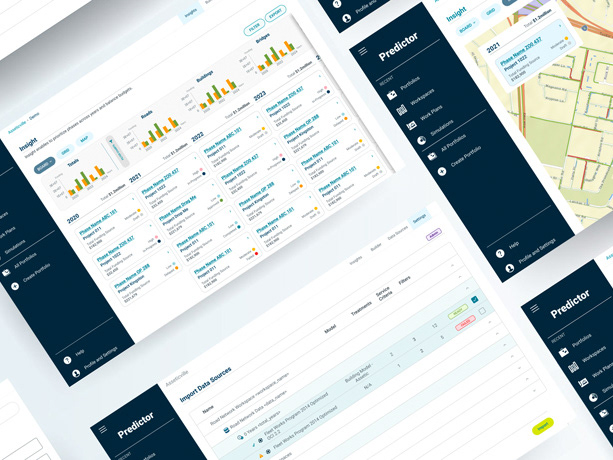
Tracline ERP.
A sales order workspace for an industrial distributor, designed to the standard of shipped enterprise software. The demo works: search, filter, sort, drag, create and bulk edit orders.
Tracline, Meridian Systems and every customer, person and figure on these screens are invented.
Work the queue and the order at the same time
Open an order and the list stays beside it. No jumping between screens.
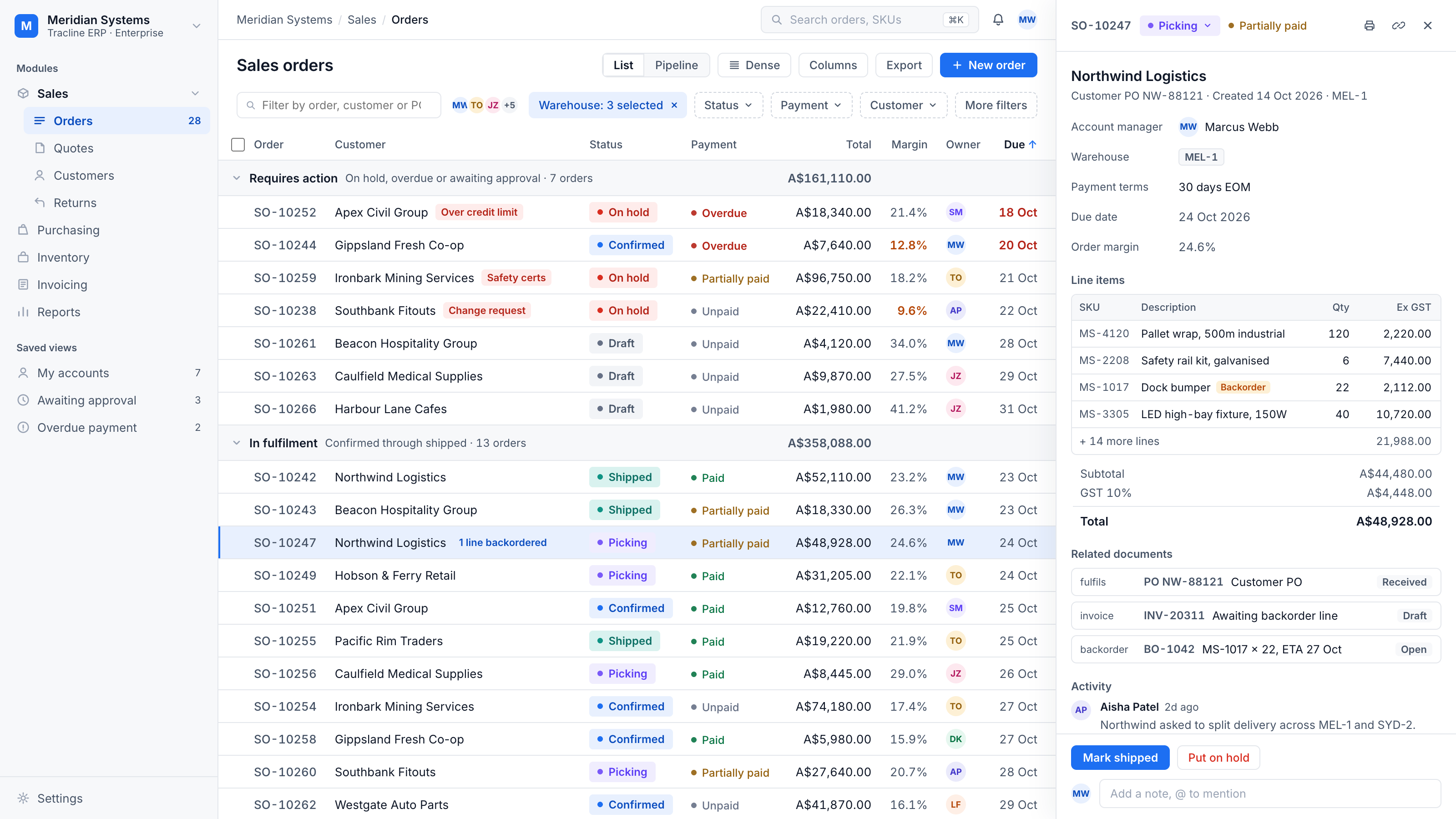
The panel docks, it does not overlay. The table makes room instead of hiding — you keep the whole picture while you work on one order.
Read top to bottom. Fields, line items, totals, related documents and activity stack in the order the job is actually done.
The open order stays findable. The row you're working on stays highlighted while the table scrolls — you never lose your place.
Actions follow state. A picking order offers Mark shipped; a held order offers Release hold. Each one really moves the order.
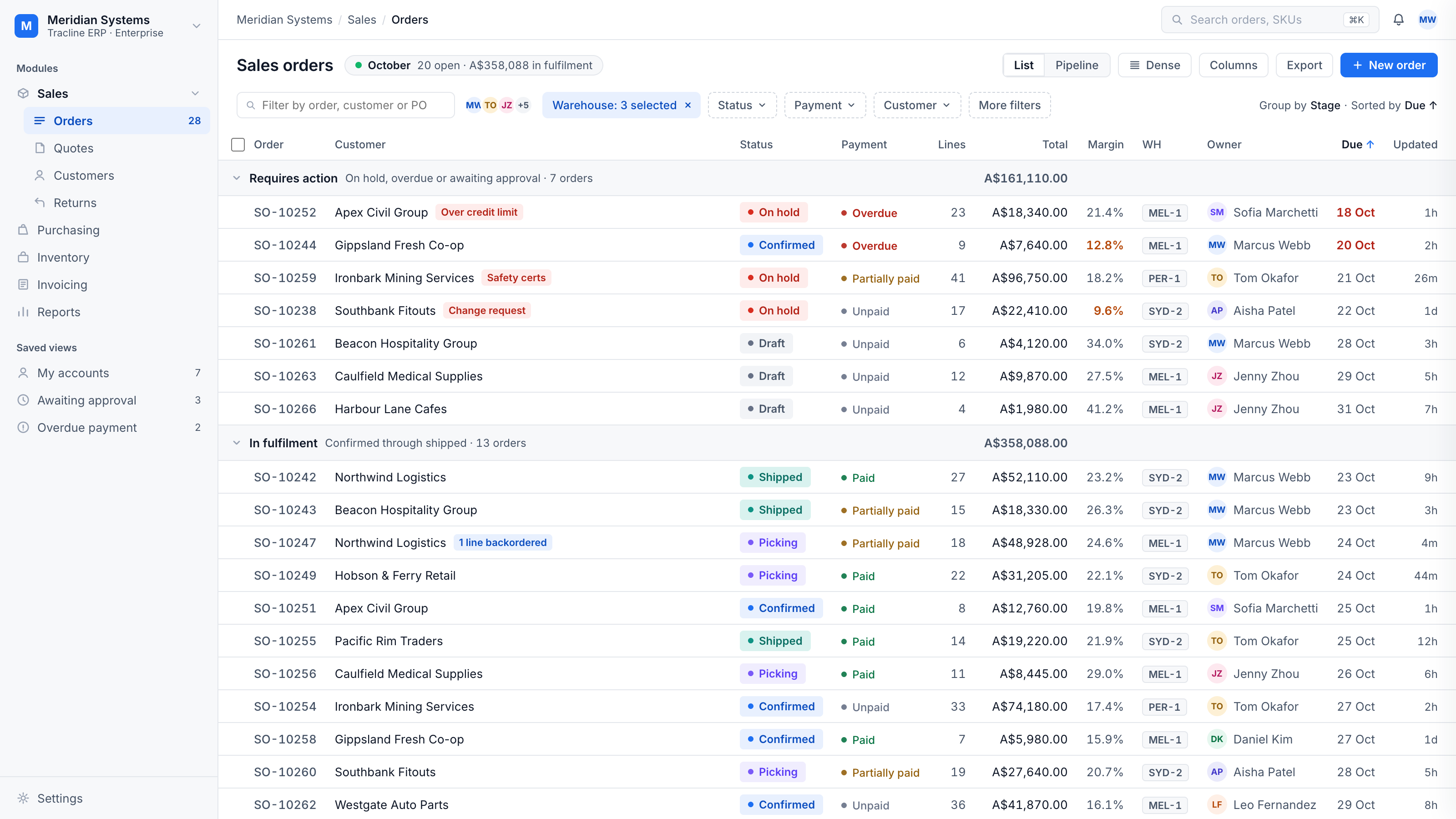
Start the day knowing what needs you
Orders grouped by what needs attention. Overdue goes red, thin margins go amber.
Flags say why. Over credit limit, Safety certs, Change request. When space runs out the flag truncates first; the customer name never does.
Group totals live in the Total column, to the cent, so a stage reads as one number without scanning rows.
Risk shows as colour. Overdue dates turn red and thin margins turn amber — trouble is visible before it costs money.
Numbers finance can trust
Subtotal, GST and total agree to the cent on every order.
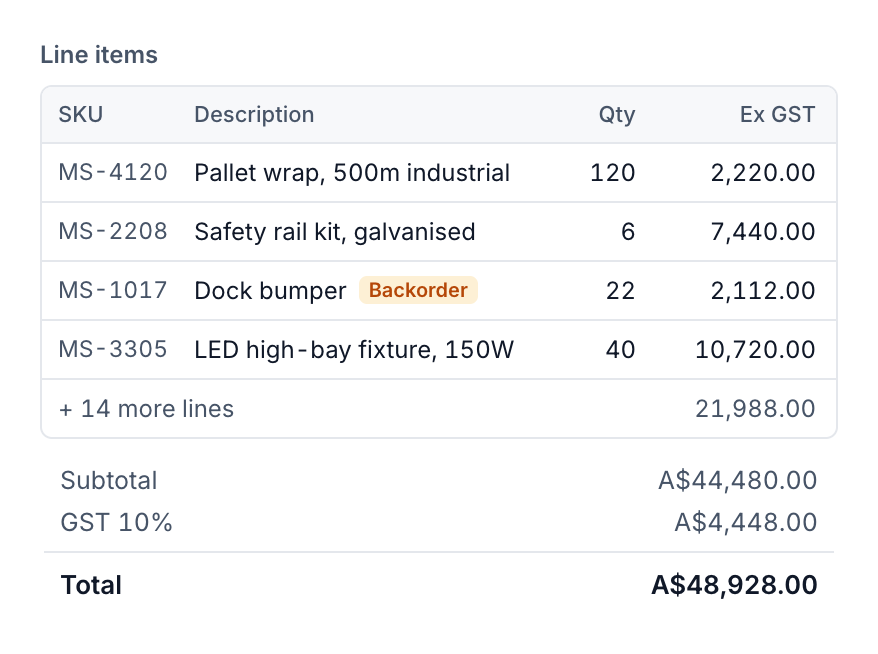
Backorders are tagged in place and link to their own backorder document with a supplier ETA.
Hidden lines keep their value. Four visible lines plus the remaining fourteen equal the subtotal exactly.
GST is 1/11 of the inclusive total, rounded once. Subtotal, GST and Total agree to the cent on every order.
Approve ten orders in one click
Bulk actions skip what doesn't apply, tell you what they skipped, and can be undone.
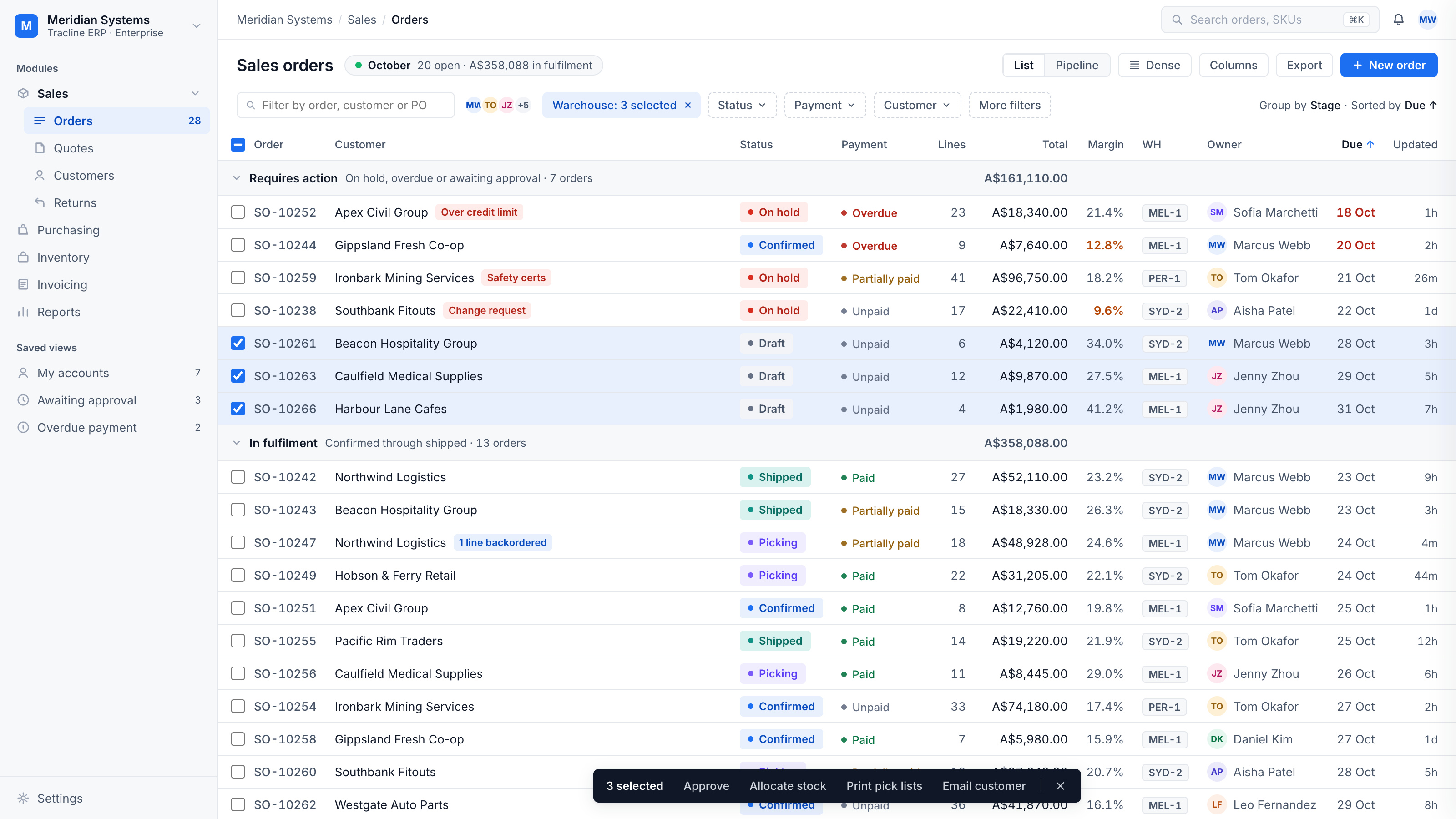
Select all is honest. It skips collapsed groups and shows a partial state when only some orders are ticked.
Bulk actions respect state. Approve only moves drafts and skips the rest, says what it skipped, and offers Undo.
Update an order without opening it
Change status where you see it, from the keyboard if you like.
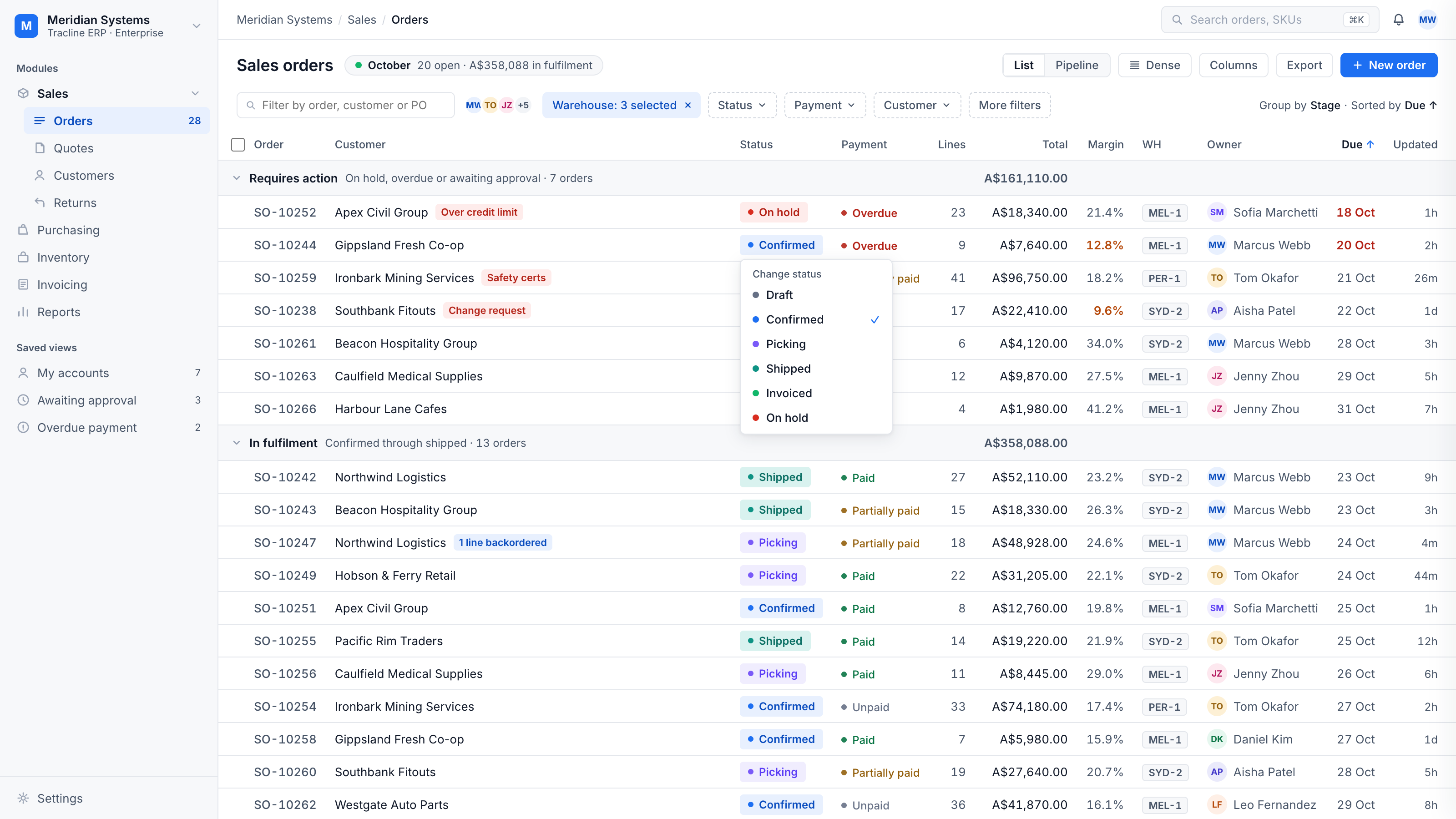
Built for speed. The whole screen works from the keyboard, so your busiest people update orders without ever reaching for the mouse.
The menu speaks the table's language. The current state is ticked and each option carries its status colour.
See where everything is stuck
One toggle turns the list into a board, with counts and dollars per stage.
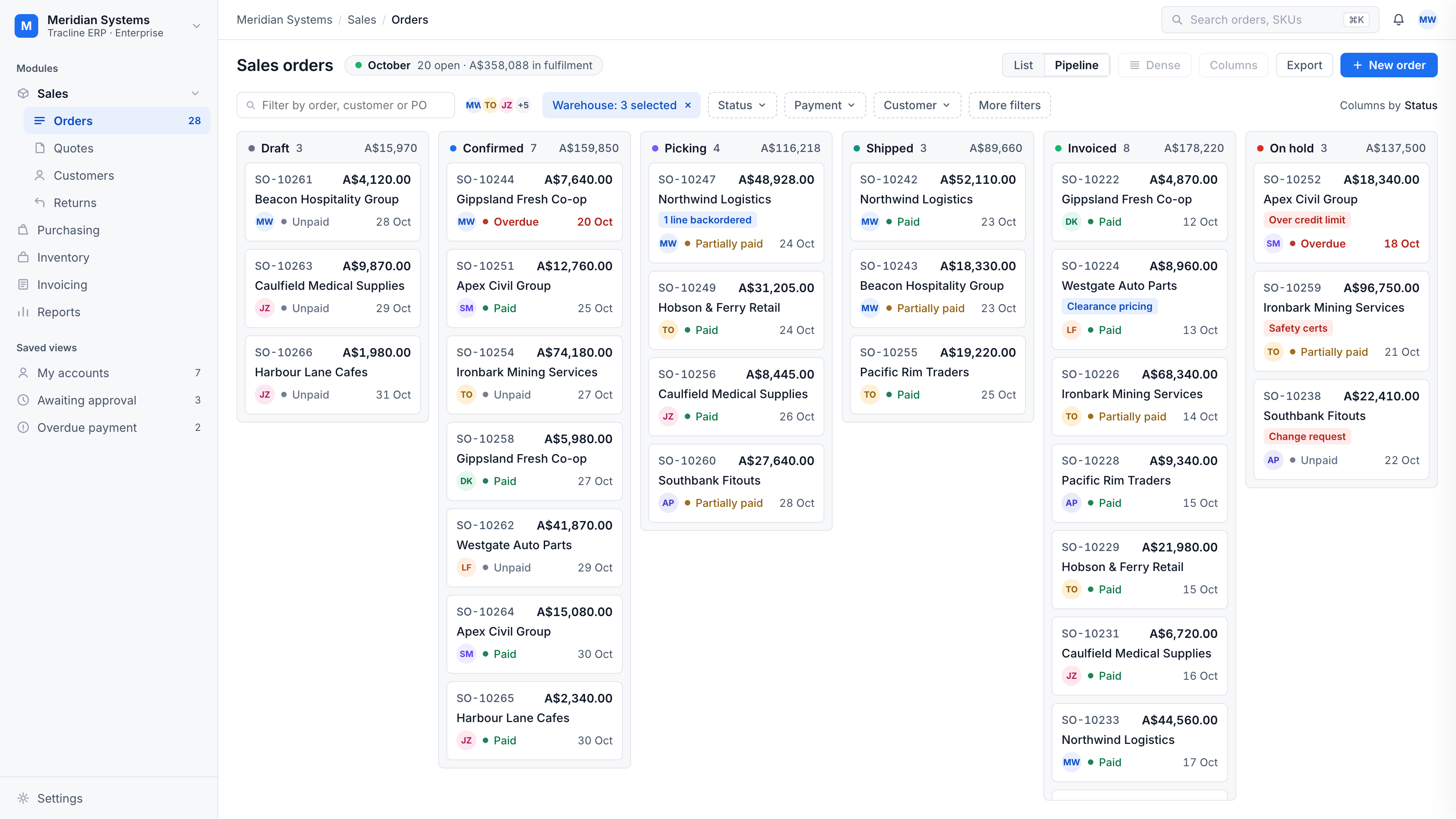
Every lane is a report. Count and value sit in the lane header, so the board answers how much is stuck where.
Cards lead with value. Flags, payment state and past-due dates stay visible at card size.
Drag to change status. Every move is logged and offers Undo — a mistake costs seconds, not phone calls.
Approve with the full story in front of you
Why it's needed, what it costs, what's left in the budget. No chasing for context.
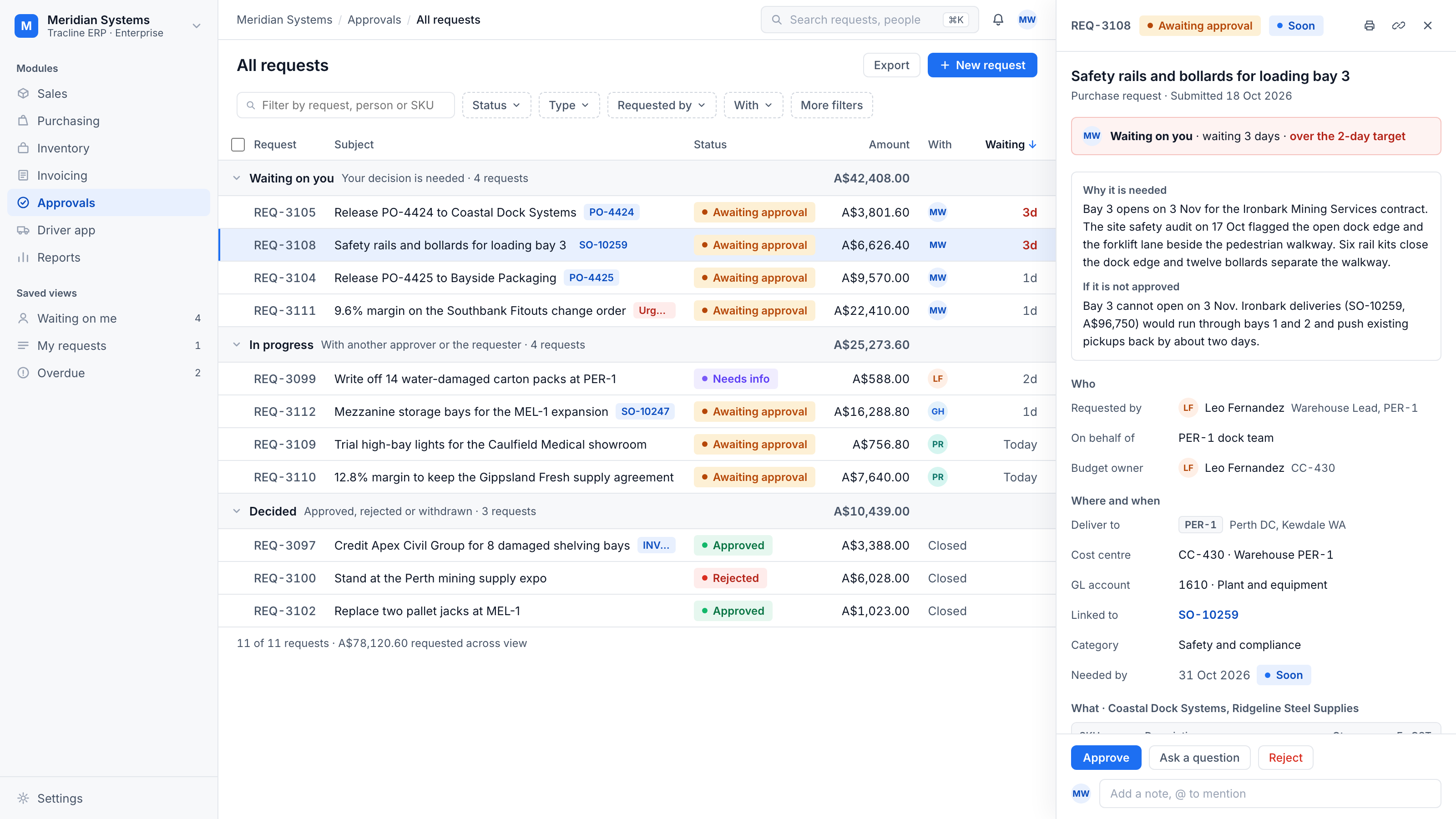
Grouped by whose move it is. Waiting on you, In progress, Decided — the queue opens on the four requests that are actually yours, each group totalled to the cent.
Waiting time is policy, not trivia. Three days against a two-day target is called out on the request itself, so slow approvals surface before anyone chases.
The case travels with the request. Why it is needed and what happens if it is not approved are written by the requester and sit above the numbers — the decision reads in one pass.
Decisions happen in place. Approve, ask a question or reject right in the panel; the approval route is printed on the request, and nobody approves their own.
Know where a delivery is without calling the driver
Drivers tick off stops on their phone and the order updates at your desk.
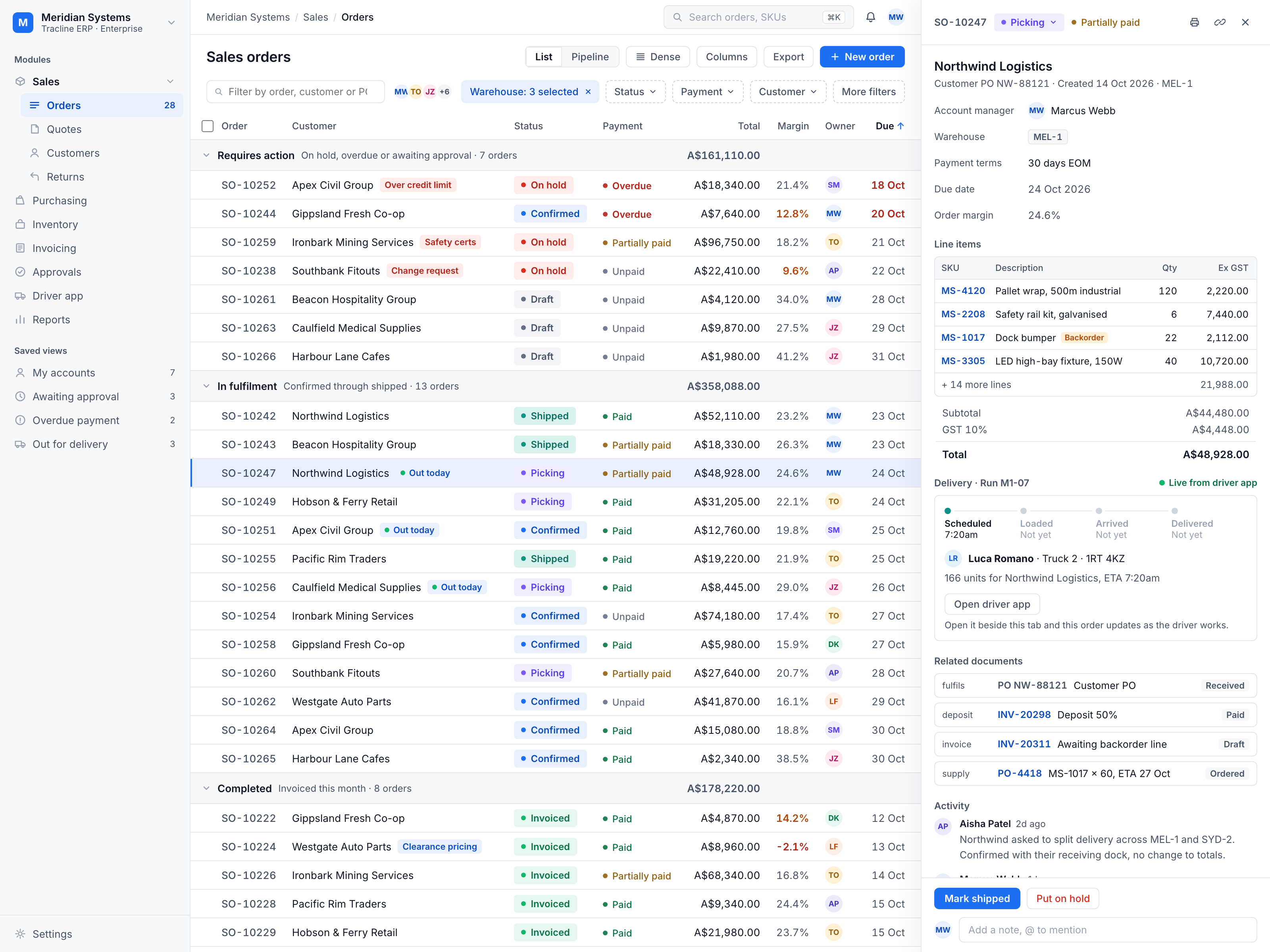
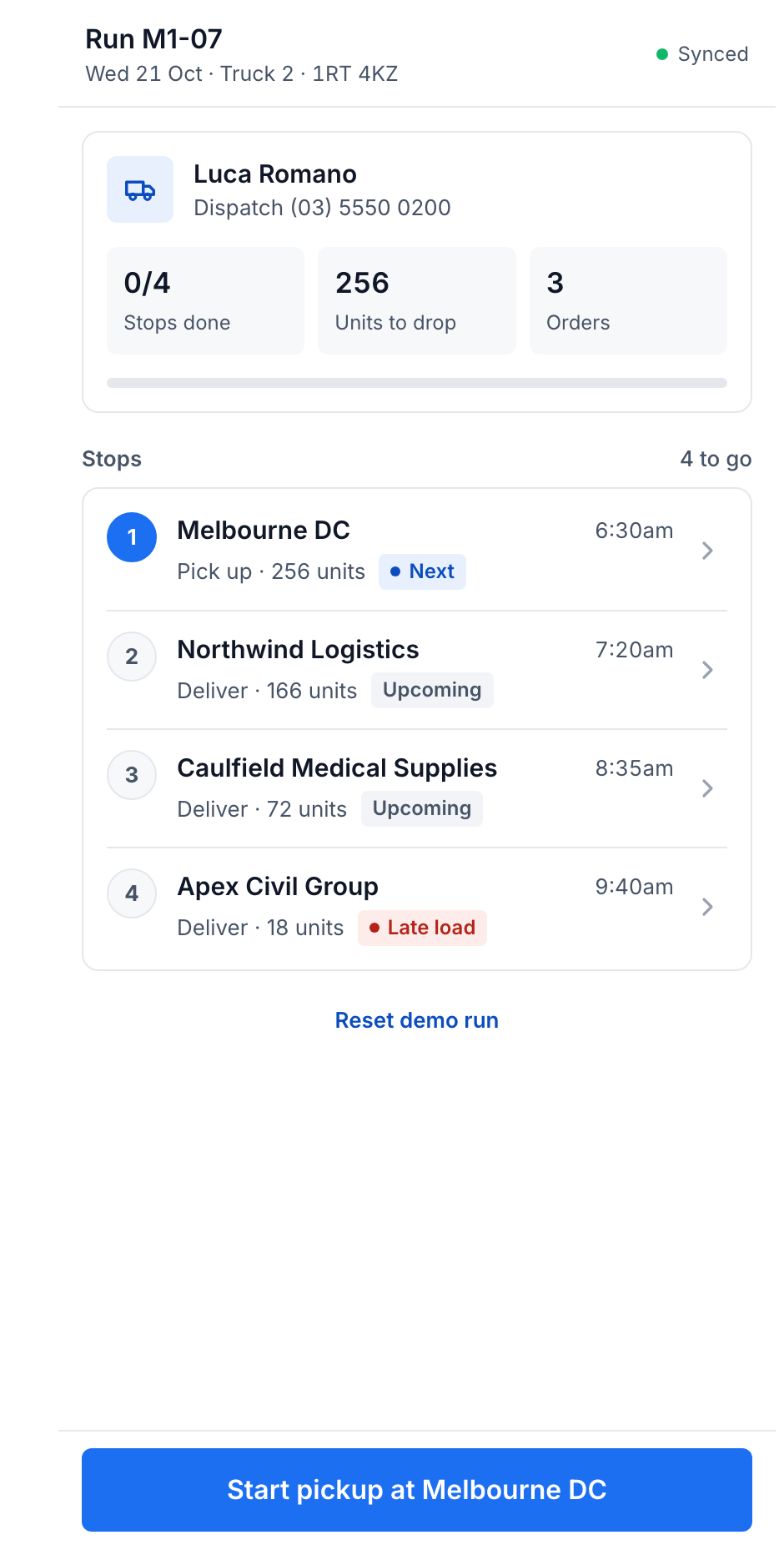
The order shows its delivery, live. Scheduled, Loaded, Arrived, Delivered — Run M1-07's tracker sits on the order and moves as the driver works.
The queue knows what's on a truck. Orders out for delivery are flagged in the list the morning they ship.
One saved view for the road. Out for delivery collects every order currently on a run, beside My accounts and Overdue payment.
The run is one screen in the cab. Stops in drop order with units, ETAs and exceptions like a late load — tap a stop and the desk sees it instantly.